Welcome to Police Jobs PK, your trusted partner in navigating public sector careers. If you’re aiming for a government job in Sindh, mastering the SJP Sindh Job Portal (www.sjp.gos.pk) is your first crucial step. This official platform lists the latest federal government jobs on SJP, and we’re here to simplify the entire process for you. This guide will walk you through the SJP sign-up process, completing the SJP online registration form, and the essential SJP job application steps.
Consider this your all-in-one SJP portal registration guide, designed to help you submit your application before the SJP job’s last date. Let’s get you registered and ready to apply online!
What is the SJP Sindh Job Portal? (www.sjp.gos.pk)
Think of the SJP Sindh Job Portal as the central digital hiring office for the Government of Sindh. The portal, accessible at www.sjp.gos.pk or SJP.gov.pk, streamlines the entire job application process. It brings thousands of job openings from various departments into one place, making it easier for job seekers like you to find and apply for federal government jobs and provincial positions without the hassle of physical documents.
Latest SJP Jobs 2025: Current Job Openings and Vacancies
The portal is constantly updated with new job vacancies. To see the most current job listings, you must regularly visit the official SJP Portal. These SJP jobs can range from roles in law enforcement, health, education, and more. Keeping a daily check ensures you never miss an opportunity that matches your skills.

A Step-by-Step Guide to SJP Sindh Job Portal Registration
Before you can apply for any position, you need to create an account. This SJP sign-up process is your first official step.
How to Create Your SJP Account (SJP Sign Up)
-
Go to the official website: www.sjp.gos.pk.
-
Look for and click the “SJP Sign Up” or “Register” button.
-
You will be directed to the SJP online registration form.
Information Needed: Gmail, Username, Password
You will need a valid email address (Gmail is most common), a username of your choice, and a strong password to secure your account.
Solving Common SJP Sign-Up Problems
-
Are you not receiving a confirmation? Always check your spam folder.
-
Username already taken? The system will prompt you; just try a slight variation.
-
Page not loading? Ensure you have a stable internet connection and are using a modern browser like Chrome or Firefox.
How to Apply for Jobs on the SJP Portal?
Once your account registration is complete, you can start applying.
Step-by-Step Online Application Guide
-
Perform your SJP login using the username and password you created.
-
Browse the available SJP jobs and click on the one that interests you.
-
Read the eligibility criteria and job description thoroughly.
-
Click “Apply Online” to begin the application process for that specific job.
How to Upload Your CV to the SJP Portal
During the application, there will be an option to upload documents. Simply click the “Upload CV” or similar button and select the file from your computer. Ensure your CV is in the specified format (usually PDF).
Final Submission and Confirmation
After filling out the online application form and uploading all required documents, review all the information you’ve entered—especially your CNIC, date of birth, education details, work experience, and address. Once you’re sure everything is correct, hit the submit button. You should receive an on-screen confirmation and an email acknowledging your application.
Post-Application: SJP Roll No Slip & Admit Card
After successfully applying, the next thing to watch for is your SJP Roll No Slip. If your application is shortlisted, this slip will be available for download on the same SJP Portal before the test or interview. It contains your vital exam details, like venue, date, and time.
www.Sjp.gos.pk Jobs 2025
Ready to find your next career opportunity? The official website, www.Sjp.gos.pk, is your direct source for all the latest SJP Jobs 2025. Think of it as the main board where new government jobs across Sindh are posted. To stay ahead, make it a habit to visit the site regularly, as new job openings from various departments are listed here frequently, giving you the first shot at applying before the SJP jobs’ last date.
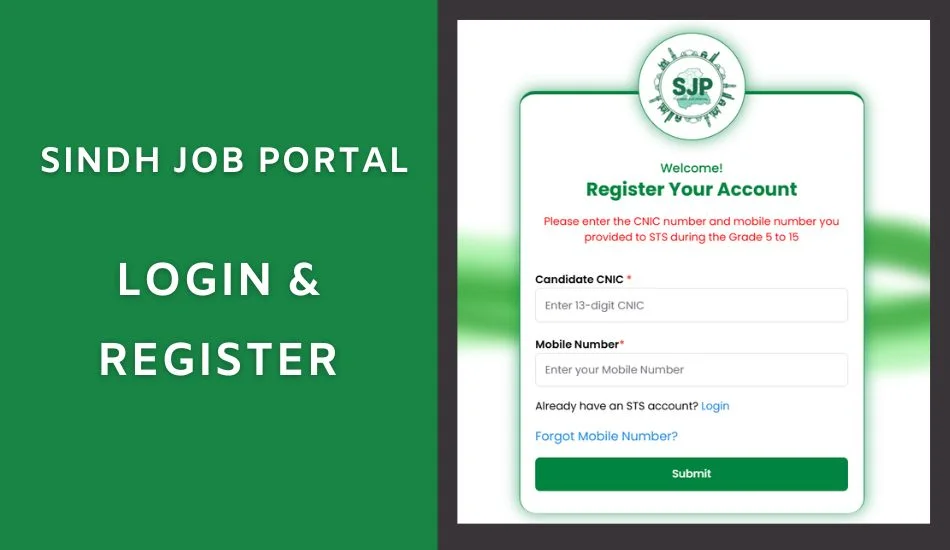
SJP Sindh Job Portal Login and Registration
Before you can dive into applications, you need your key to the portal: a registered account. The SJP Sindh Job Portal login and registration process is straightforward. If you’re new, start with the SJP Sign Up to create your profile. Once that’s done, you’ll use your username and password for the SJP Login every time you return to browse jobs or manage your applications. It’s your personal gateway to a world of opportunities.
Sjp.gos.pk jobs Online Apply
The best feature of the portal is the ability to apply online for SJP GOS PK jobs. Once you’re logged in, you can search for vacancies that match your skills, read the full requirements, and submit your application entirely online. This digital process eliminates the need for paper forms and makes applying for multiple job vacancies simple, fast, and convenient from the comfort of your home.
Sindh Job Portal SJP Jobs 2025 Online Apply
The process for Sindh Job Portal SJP Jobs 2025 Online Apply is designed to be user-friendly. After completing your registration and logging in, you can apply for the latest positions in just a few clicks. This streamlined system ensures that all job seekers have an equal and efficient chance to pursue a rewarding career in public service through the official SJP Portal.
Apply For More Jobs in Pakistan
- KPK Police Jobs
- Sindh Police Jobs
- Punjab Police Jobs
- Excise Police Jobs
- Jail Police Jobs
- Pakistan Railway Police Jobs
- National Police Bureau Jobs
- CCD Police Jobs
FAQs
Q1. What is the official SJP website?
The only official website is www.sjp.gos.pk.
Q2. How can I check my SJP application status?
Log in to your account on the Sindh Job Portal. There is typically a “Track Application Status” or “My Applications” section in your dashboard.
Q3. Who can apply for jobs on the Sindh Job Portal?
Any Pakistani citizen who meets the specific age, qualifications, and domicile requirements outlined in each job advertisement may apply.
Q4. Can I edit my SJP online registration form after submission?
Generally, core details in your profile cannot be changed after the final submission. However, for specific job applications, you may be able to edit certain fields before the deadline. Always review your information carefully before submitting.
Q5. I forgot my password. How can I recover my SJP login?
On the SJP login page, click the “Forgot Password” link. You will be asked to provide your registered email address to receive a password reset link.
Conclusion
Navigating the SJP Sindh Job Portal might seem daunting at first, but by following this guide, you are now equipped with the knowledge to confidently complete your registration and application. This platform is a powerful tool designed to bring transparency and efficiency to your job search for Pakistan government jobs.
Bookmark Police Jobs PK now! We are committed to keeping you informed with the latest updates on SJP jobs and countless other government career opportunities across Pakistan. Your next career breakthrough is just one click away.